
 100% Quebec
Clic Horaire feature
Schedule and shift planning
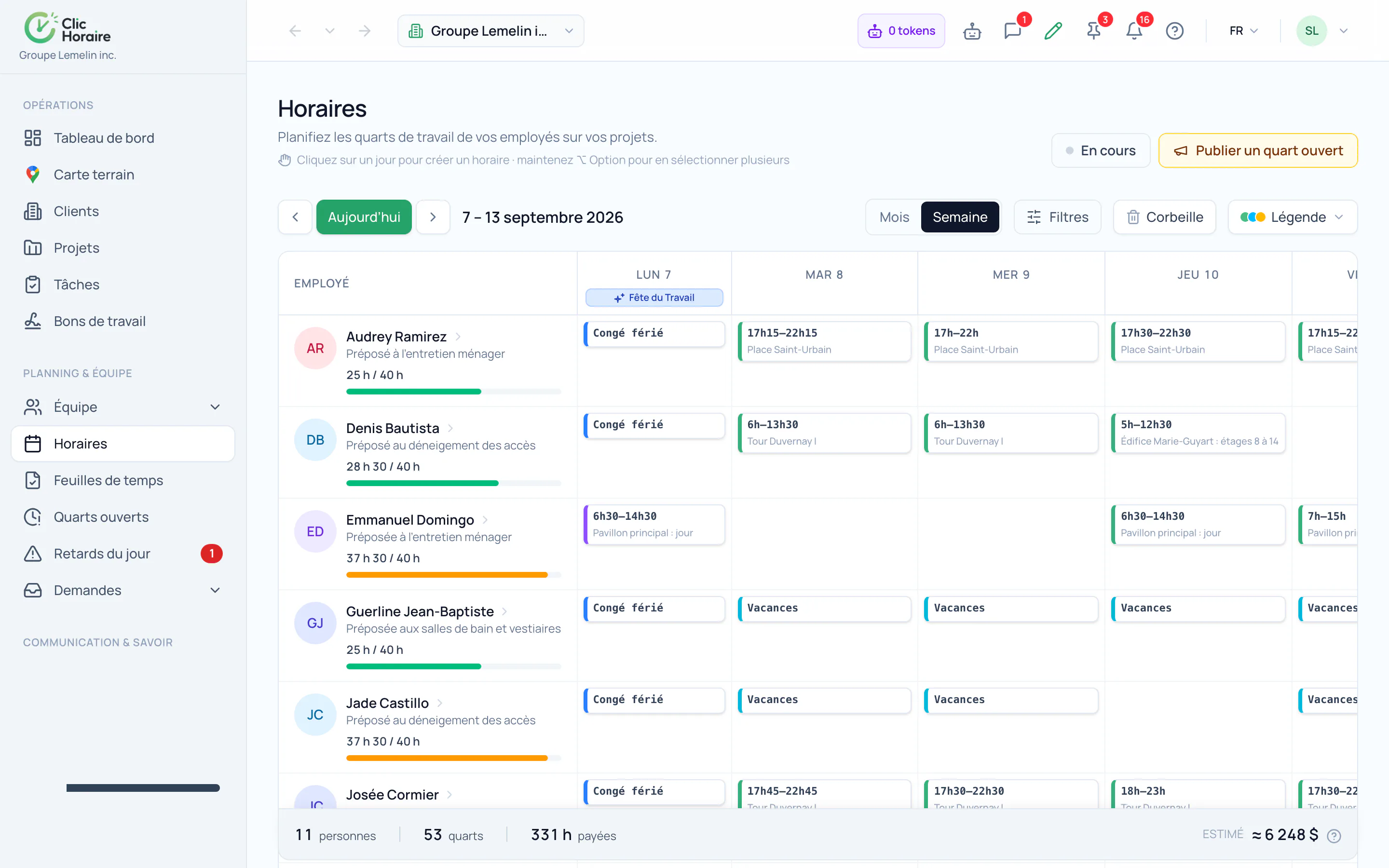
Build your team's schedules in a few clicks with a clear calendar view, assigning shifts by employee, role, or job site. Changes are visible instantly to the supervisors and employees involved.
What's included
Assign by employee, role, or job site
Instant updates for the whole team
Automatic detection of scheduling conflicts
How it works, in detail
- 1
A shift is more than a start time
The form asks for the employee, the client and the project, the position, the hours, the breaks and, where relevant, the recurrence. That is what lets the engine know which decree applies and which site the hours belong to: a misattached shift throws off both payroll and job costing.
- 2
Conflicts show up before you publish
Overlap with another shift, an already approved time-off request, a statutory holiday, a weekly threshold exceeded: the problem is flagged as you create the shift, not when pre-payroll runs.
- 3
Published means seen
As soon as it is published, the employee finds the shift in the mobile app and the supervisor sees it in the team view. A mid-week change propagates immediately, and the trash keeps deleted shifts long enough to walk a mistake back.
 Clic Horaire
See this feature on your own data
14-day free trial, no credit card. Your decrees are configured up front: all you add is your crew.
See every feature