
 100% Quebec
Clic Horaire feature
Electronic signature: contracts signed, sealed and filed in the employee record
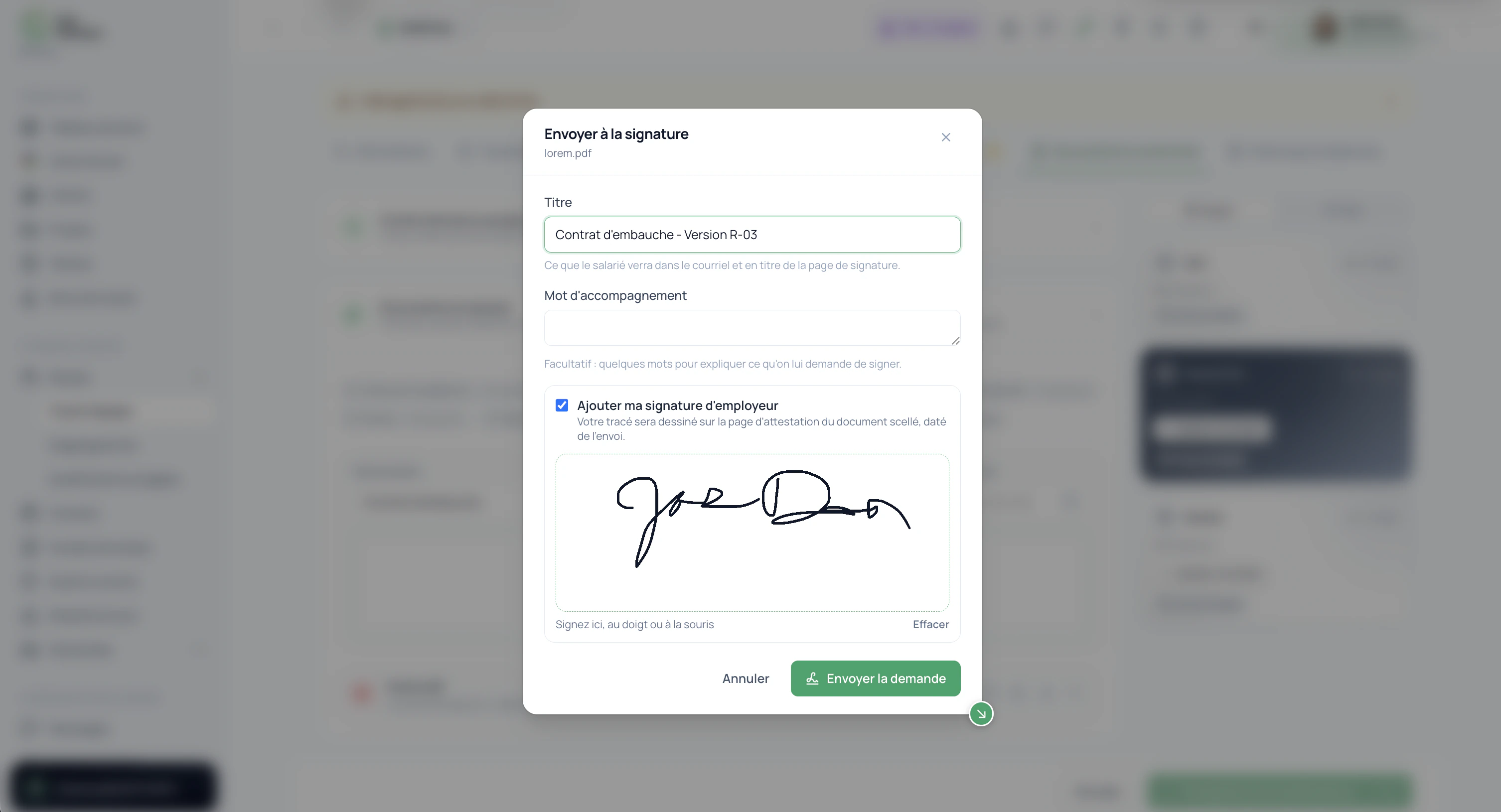
Send any PDF from an employee's record for signature: contract, agreement, form. They read it and sign with a finger from the email they receive or from the mobile app, and Clic Horaire seals the document with an attestation page: SHA-256 fingerprint, server timestamp, IP address. The signed copy files itself in the employee's record.
What's included
Sign from the email link (no account needed) or from the employee app: same evidence, same seal
Attestation page appended to the PDF: SHA-256 fingerprint, server timestamp, IP address, request ID
Employer countersignature, drawn when sending, side by side with the employee's
Bulk sending from the Document Center: forty contracts, one action
Automatic reminders 7 and 2 days before the deadline; link valid for 30 days
Emails, reminders and screens in French, English and Spanish
Clic Horaire attests the act, not the content
The attestation page is generated and sealed by Clic Horaire at the moment of signing, acting as a technical third party. It proves who signed what, when and from where: and that the document did not change by a single byte. The document's content remains the responsibility of whoever sends it: exactly like a witness who watches a contract being signed without having written it.
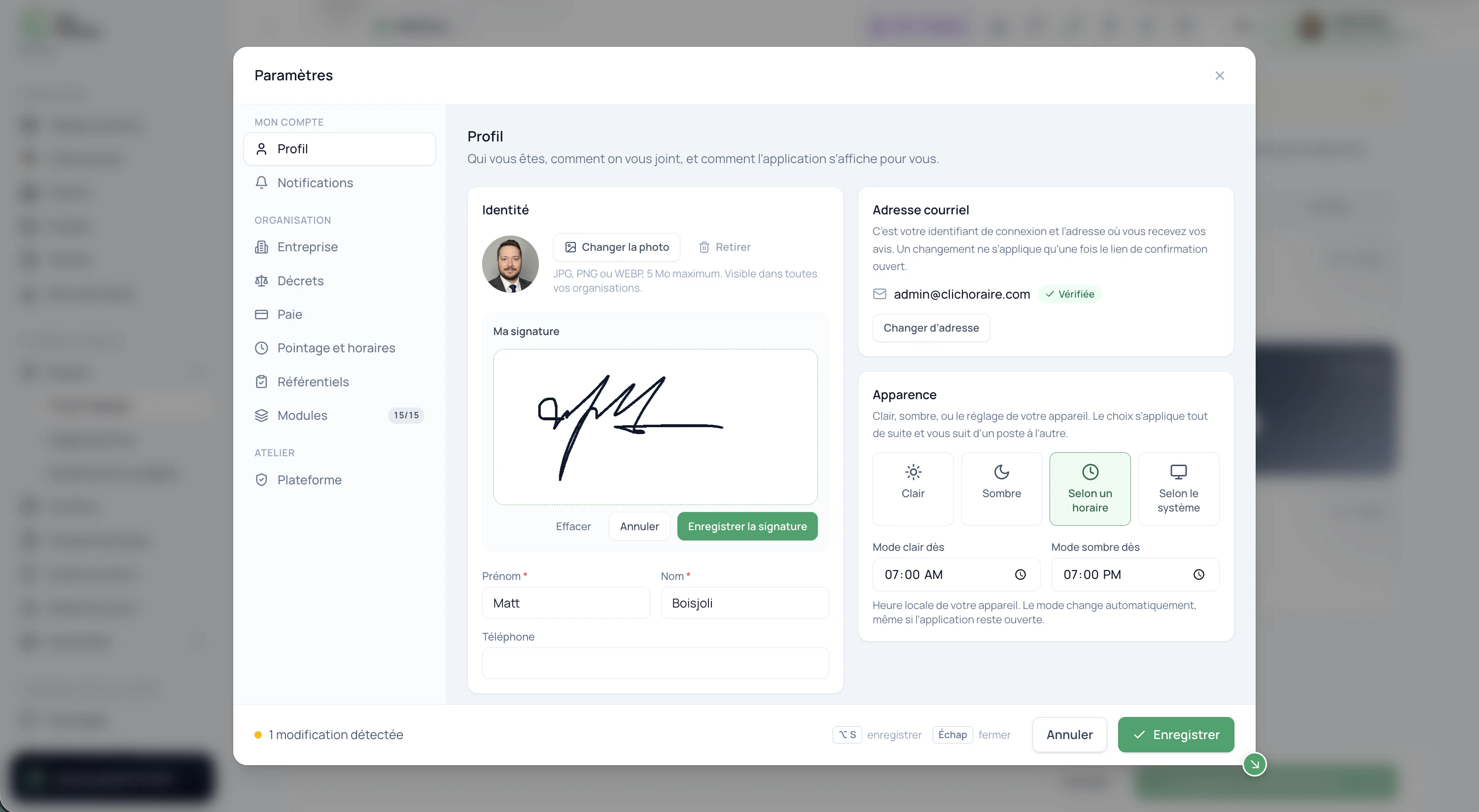
Your signature, saved in your profile.
Draw and save your signature in your profile settings so it is available for your next signature requests.
How it works, in detail
- 1
Two doors, one proof
The employee receives an email in your organization's language with a link that is their right to sign: no account to create, no password. If they already use the mobile app, the same request is waiting on their dashboard. Either way, they must tick that they have read the document and consent to sign it electronically, then draw their signature: the button stays locked until both are done. And either way, the same engine seals the document with the same attestation.
- 2
Evidence that does not come from the signer
The PDF's SHA-256 fingerprint is frozen when the request is sent, then recomputed right before sealing: if a single byte changed in between, the signature is refused. The timestamp comes from the server clock, never from the phone. The IP address is read from the connection, never from a field someone filled in. All of it is printed in plain text on the attestation page so a judge, an accountant or an inspector can read it without any tool.
- 3
Filed in the record, visible everywhere
As soon as it is signed, a "-signed.pdf" copy is added to the employee's record under the original type (a signed contract is still a contract) in the name of the person who requested the signature. It shows up in the employee's file, in the Document Center (pending / signed filters, deadlines) and in the employee's app, where they can download their own sealed copy. Sending, signing, withdrawal and reissue are all recorded in the audit trail.
- 4
In bulk, with reminders, without ever rewriting history
Tick the documents in the Document Center and have them signed in one go, with the same subject and cover note; one failed send never drags the others down. The link expires after 30 days, with reminders 7 and 2 days before. A request can be withdrawn as long as it is unsigned. And "send again for signature" never reopens a sealed document: Clic Horaire files a fresh copy of the original with its own proof, the record keeps both.
 Clic Horaire
See this feature on your own data
14-day free trial, no credit card. Your decrees are configured up front: all you add is your crew.
See every feature