
 100% Quebec
Clic Horaire feature
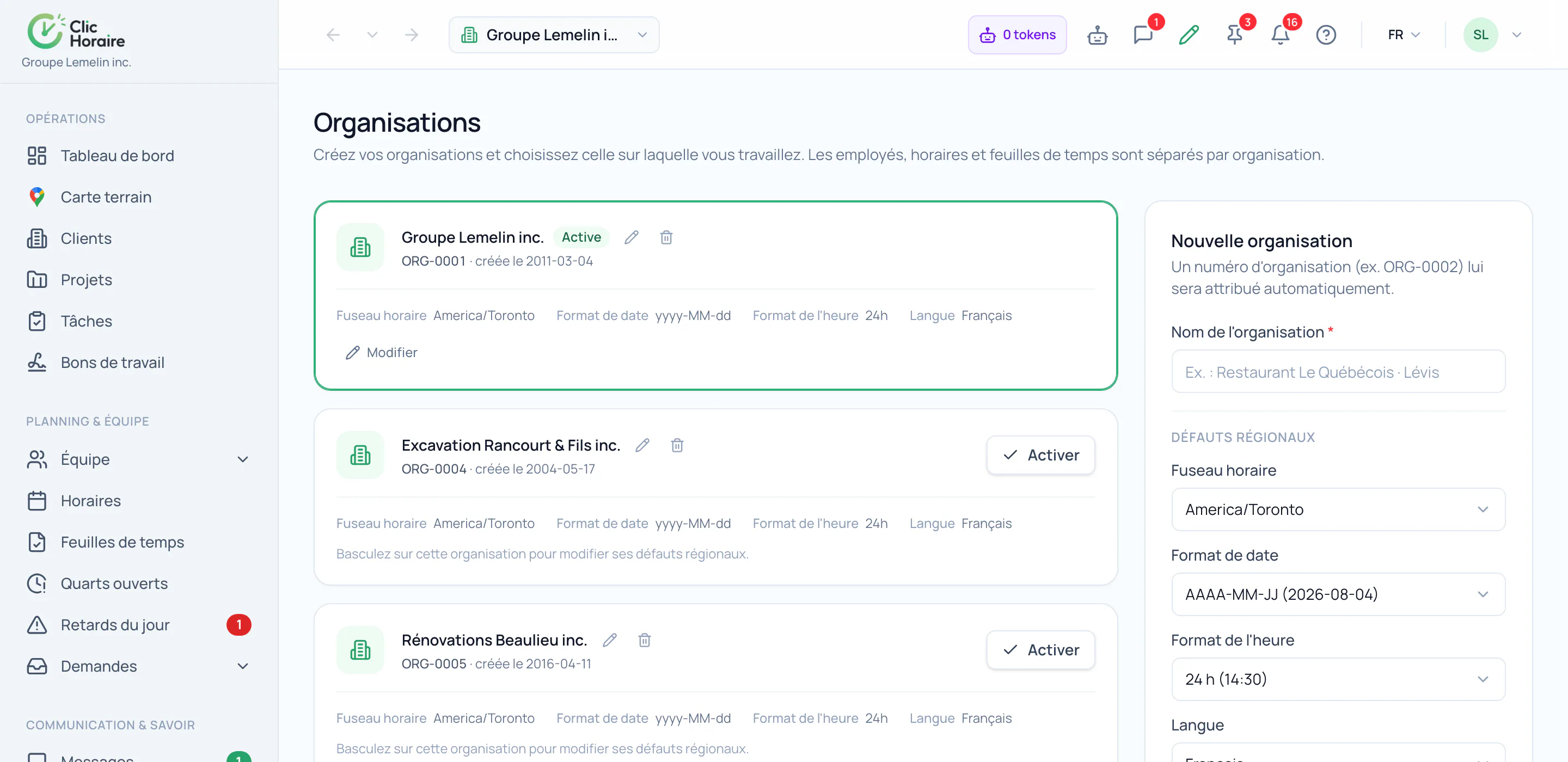
Multi-organization management
Every user has a single identity but can belong to several distinct organizations: each with its own HR rules, decrees, and data, fully isolated from one another. A multi-tenant architecture built in from day one, not bolted on afterward. And an employee shared across several of your organisations is billed only once.
What's included
An employee shared across your organisations is billed only once
One identity, multiple organizations, zero data mixing
Professional contact fields with smart fallback inheritance
HR and legal data never shared between organizations
One login, one-click organization switching
How it works, in detail
- 1
One person, one bill · even across three organisations
A caretaker working for two of your entities, a project manager shared between three subsidiaries: the invoice counts them once. The monthly count runs on the person's identity, not on the number of employment profiles they carry. Multiplying organisations to partition your data cleanly therefore costs you nothing extra: and the account holder pays for their seat nowhere.
- 2
Two layers of data, one identity
A worker's data is split into two distinct entities: the user's global identity (first and last name, primary email, preferred language) and the employment profile specific to each organization. The global identity is unique and belongs to the person; the employment profile belongs to the organization.
- 3
Fields with smart fallback inheritance
Professional email, professional phone, and mailing address can be customized by each organization. If an organization leaves them blank, the system automatically falls back to the user's global profile value: nothing duplicated, nothing out of sync.
- 4
HR and legal data, strictly siloed
Employee ID, hire date, permanence date, employment status, applicable decree or rule profile, job title, hourly rate, and internal notes are exclusive to the current organization. They are never shared, copied, or visible to another organization, even if the employee also works there.
- 5
One login, several organizations, no confusion
Employees log in with a single email, no matter how many organizations they belong to. After logging in, they simply pick the organization they want to work with and only see the schedules, decrees, and data tied to that one: never another organization's.
- 6
Built for managers, not just developers
On an employee's record, first and last name are always read-only: only the employee can change their identity from their own profile. For email and phone, the global value shows as placeholder text until a local value is entered, with a clear option to customize it when needed.
 Clic Horaire
See this feature on your own data
14-day free trial, no credit card. Your decrees are configured up front: all you add is your crew.
See every feature