
 100% Quebec
Clic Horaire feature
Pre-payroll runs (PayRuns)
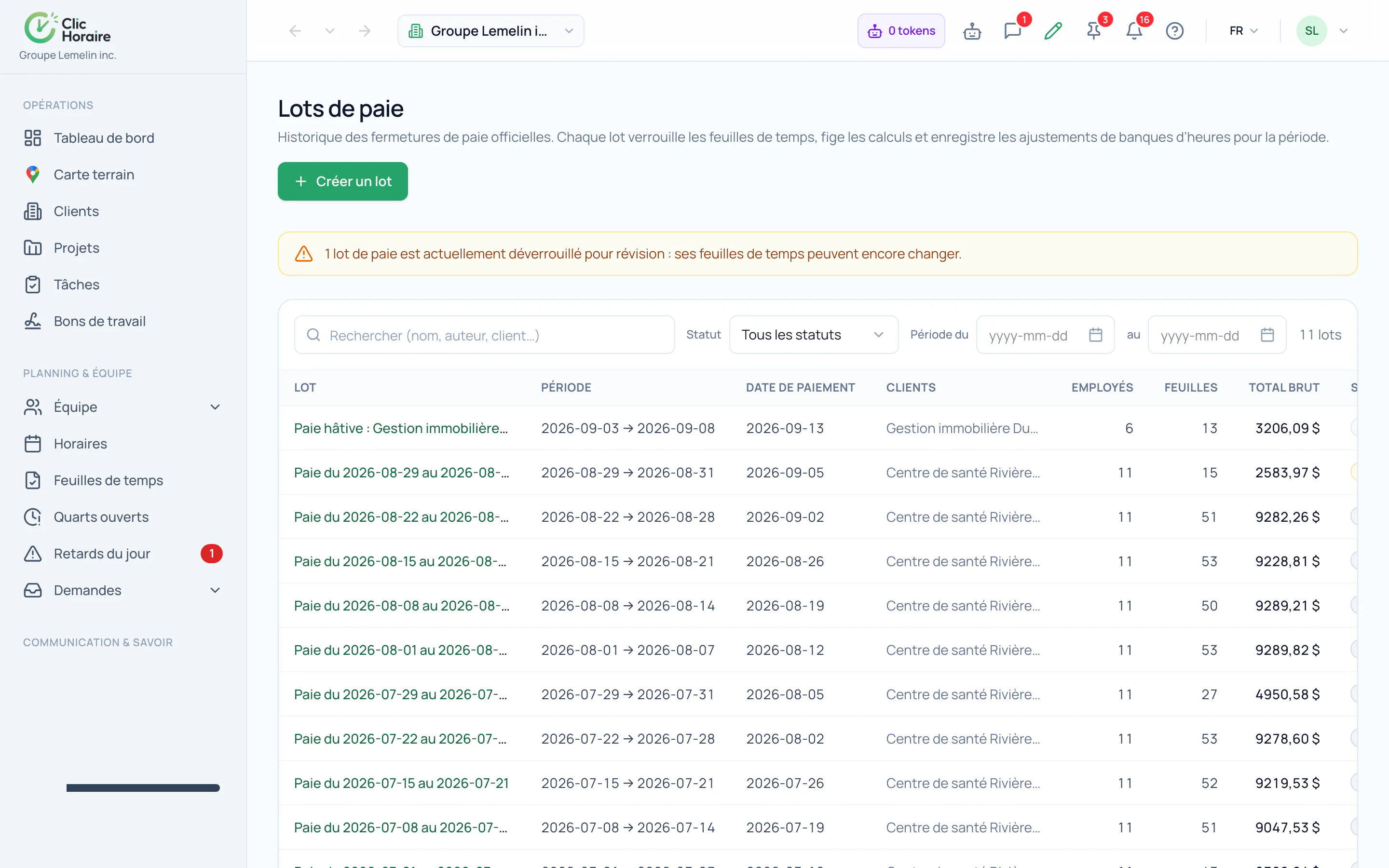
Group a full period into a pay run: preview hours, premiums and overtime for every employee, then lock the period in one move. The run becomes the frozen reference sent to your payroll software.
What's included
Create and preview one run per period
Lock the period, figures frozen
Export to your payroll software straight from the run
How it works, in detail
- 1
A pay run freezes a period
It carries its dates, its employees, its timesheets and its total. The moment it is created, the hours inside it stop moving: a correction made afterwards on a timesheet no longer changes the amount already sent to payroll.
- 2
The pay run becomes the reference
The export to your payroll software starts from the run, not from the preview screen. Two people exporting the same period therefore get exactly the same file, and the file produced stays attached to the run in the history.
- 3
The month closes cleanly
Every run carries its status and its history: who created it, when it was locked, what has been exported from it. An abandoned run stays visible as such rather than vanishing, so the sequence of periods reads without a hole.
 Clic Horaire
See this feature on your own data
14-day free trial, no credit card. Your decrees are configured up front: all you add is your crew.
See every feature