
 100% Quebec
Clic Horaire feature
Zones, travel and room and board
Travel, room and board allowances are calculated automatically from the job site's distance and zone, with no parallel spreadsheet and no manual entry at the end of the period.
What's included
Zones and distances configured per job site
Travel allowances calculated automatically
Room and board per the agreement's scales
How it works, in detail
- 1
The zone is not a field to fill in
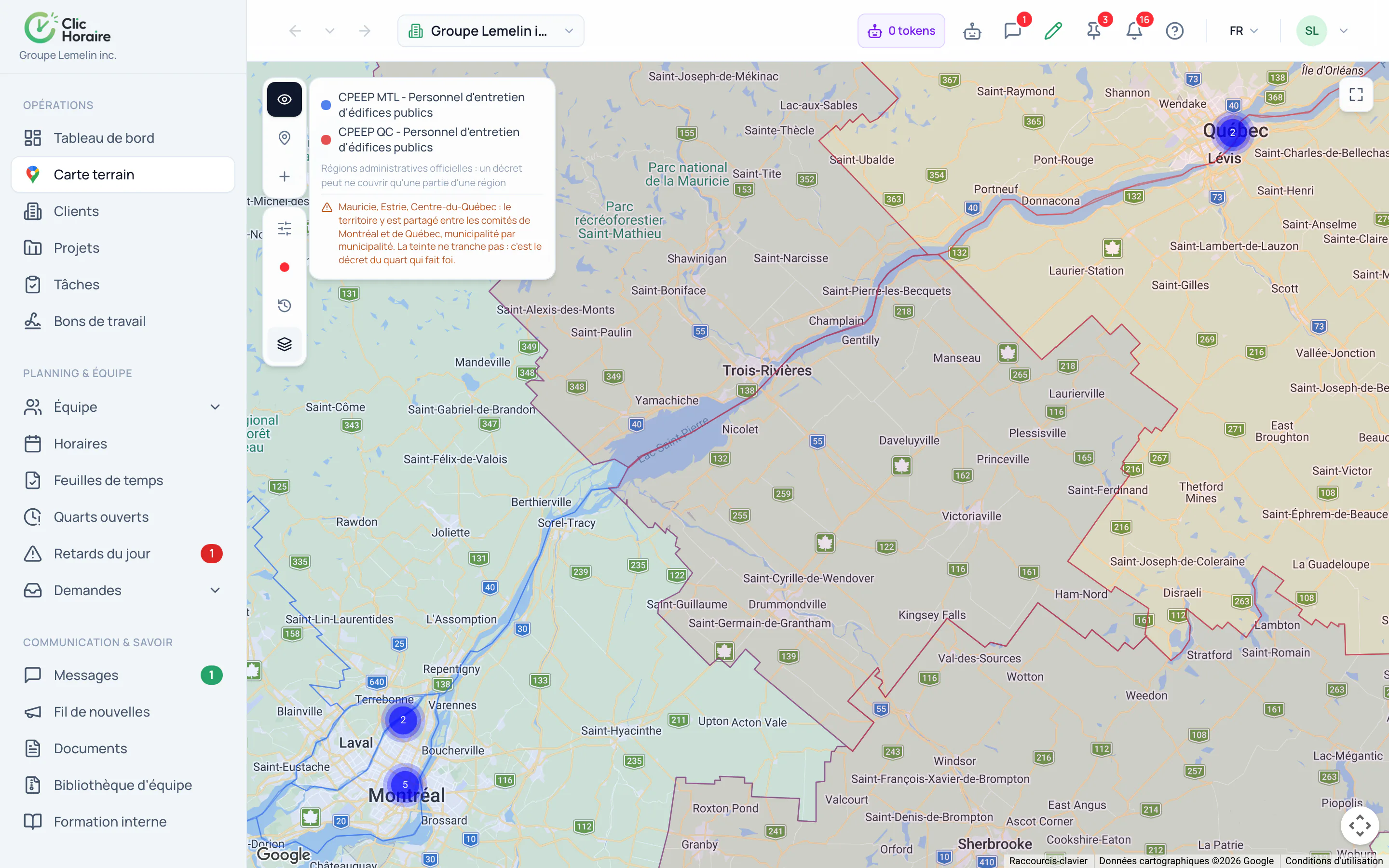
It is read from the site's actual position, against the official administrative regions shown on the map. A site placed correctly is in the right zone, and a site with no coordinates is flagged as such before it can throw off a payroll.
- 2
Travel, room and board
The three allowances have their own scales and their own triggering conditions in the agreement. They are computed from the distance and the length of the assignment, and land on the payroll as separate lines the worker can read.
- 3
Nothing to re-enter at period end
Without this, those allowances get computed in a parallel spreadsheet, by hand, the night before payroll: which is where mistakes cost the most and where a parity committee claim reaches back furthest.
 Clic Horaire
See this feature on your own data
14-day free trial, no credit card. Your decrees are configured up front: all you add is your crew.
See every feature